Controlled AI. Real results.
The platform behind Digital Operations
Operators, goals, independent checks, approvals, organizational memory, connectors and ready-made solutions – in one platform that runs in SaaS, on-premises or fully airgapped.
Agentic Intelligence Fabric™
How the platform is built
Eight building blocks turn AI models into operations you can hand real work to – and still control.
Operators
AI operators with a role, a lead, a backlog and clear limits. Leads hand work to their team and get the results back – and you can talk to every operator directly.
Goals and routines
You agree on a goal and its success criteria. A planner breaks it into steps, and operators work through them once or on a schedule – within budget and deadline.
Independent checks
A separate, blind review checks every result against the agreed criteria – optionally with a different model. Without a confirmed check, there is no result.
Approvals and policies
Write actions, sensitive data and costly tools wait for a person. Standing approvals per operator, tool and connection can be revoked at any time.
Organizational memory
Entities, facts and findings with source, explanation and history. What operators learn is reviewed before it counts – and superseded, never silently overwritten.
Connectors and tools
ERP, CRM, mail, files, collaboration tools, your own APIs and MCP servers. Unknown tools count as high-risk until they are approved.
Solutions
Ready-made solutions from the store, partner solutions and your own apps – built by describing the process in Solution Studio.
Deployment and models
SaaS, on-premises or fully airgapped. Local models or external providers of your choice – the controls stay the same.
Product view
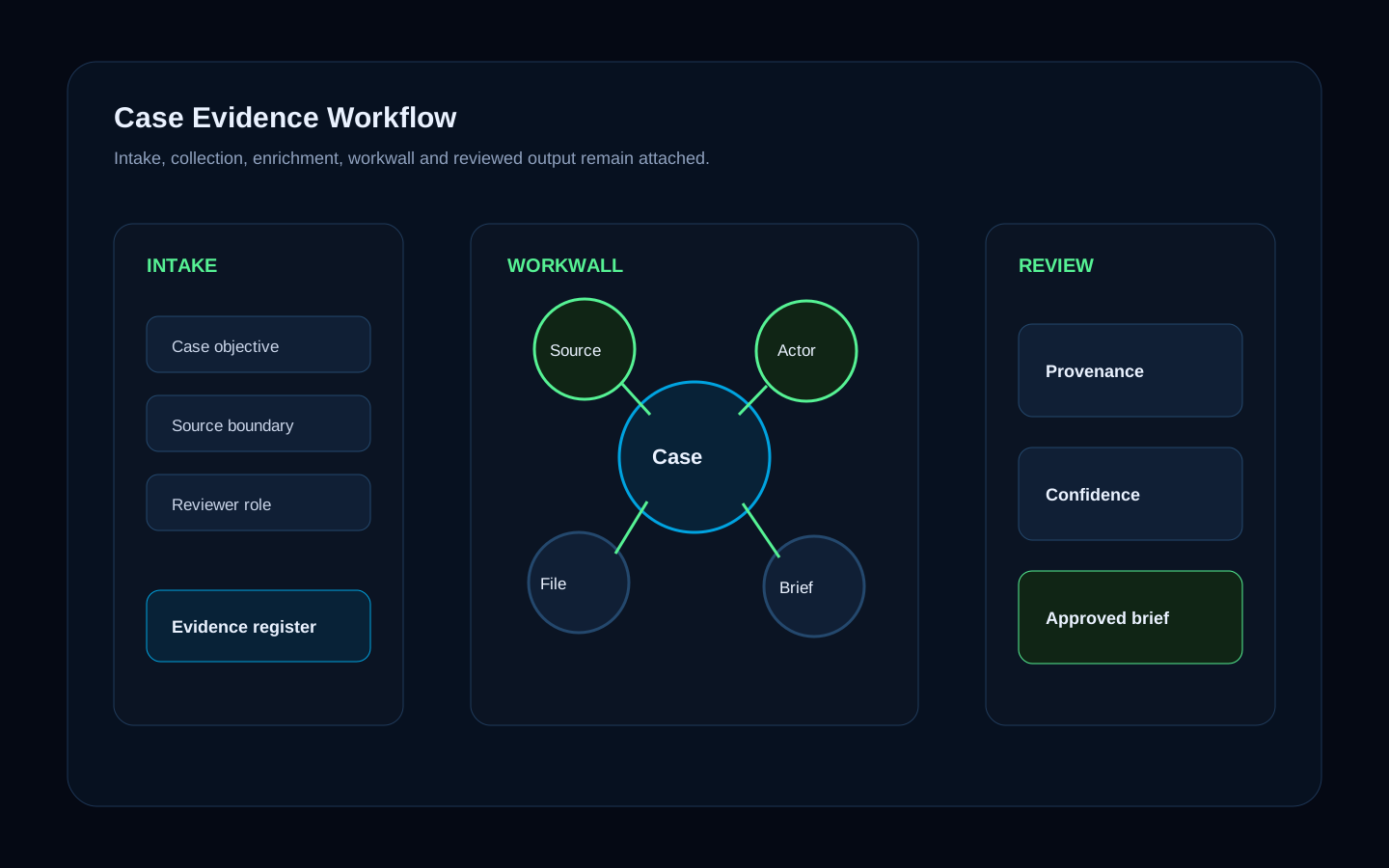
Results come with their evidence
Prompts, tool calls, sources, findings, review notes and reports stay attached to the project or case instead of being scattered across systems.
Sources
Every number and finding links to its origin
Checks
Independent review before a result counts
Approvals
Who approved what, and when
EVIDENCE TRAIL
Every result stays linked to its sources
Product view
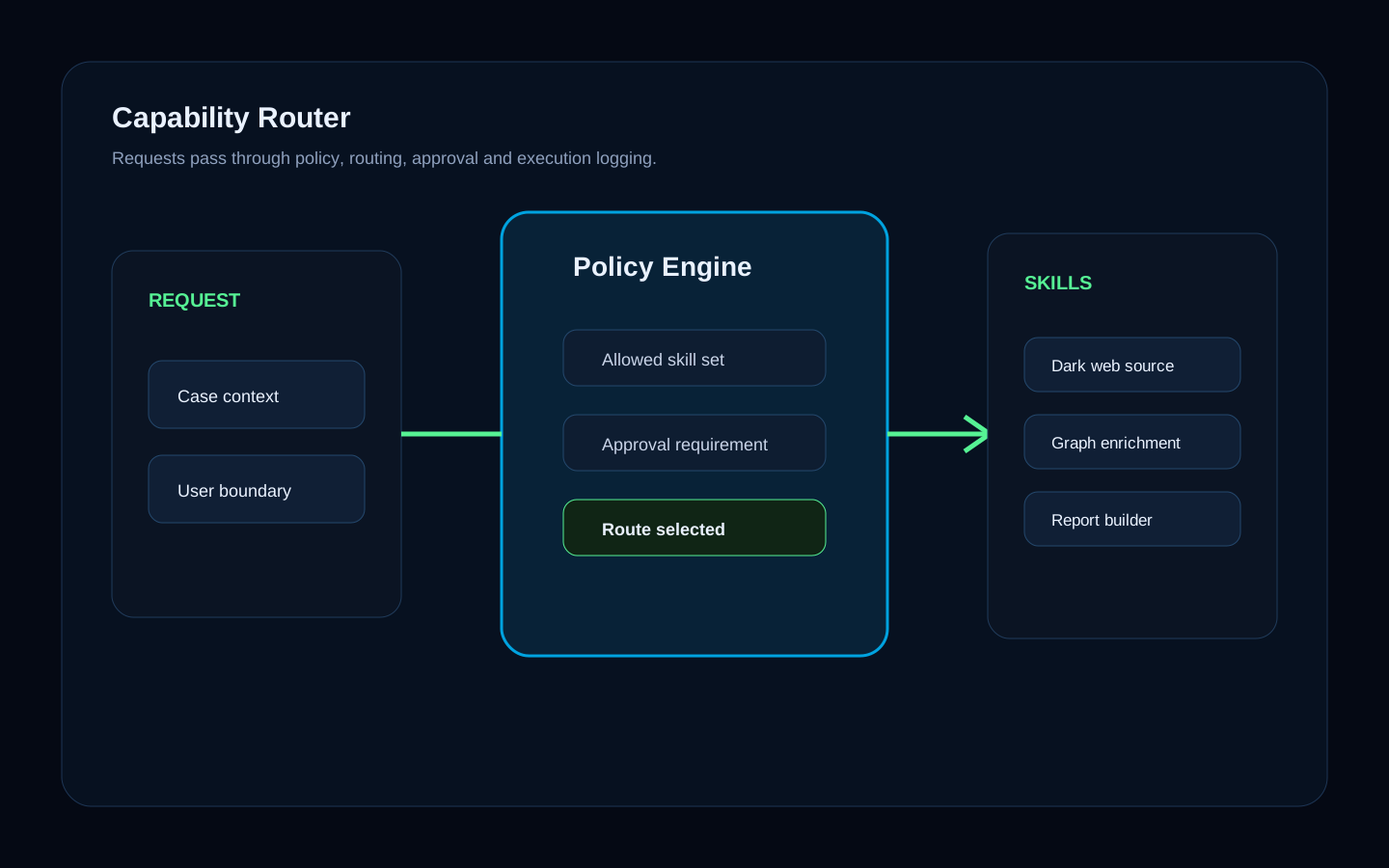
Every tool call passes a policy first
Operators only reach the tools they are allowed to use. Each call is checked, logged and attached to the result – and critical calls wait for approval.
Tools
Connectors, MCP servers, your APIs and services
Controls
Role, project or case, classification and approval
Output
Results, case graph entries and reports
TOOL GOVERNANCE
Every tool call passes a policy first
WHERE WORK HAPPENS
Projects and cases
Chat, files, tasks, notes, dashboards and apps in one place – with roles and boundaries for people and operators alike.
READY TO USE
Documents in your design
Operators deliver Word, PowerPoint, Excel and PDF in your corporate design – not chat text you still have to format.
ORGANIZATIONAL MEMORY
Memory with sources
What your organization learns is kept with its source, explanation and history – reviewable and revocable.
INSTALL, DO NOT BUILD
Solutions instead of projects
Install ready-made solutions from the store, or describe your process and let Solution Studio build the app.
Trust model
Works with the systems you already run
Connectors and MCP bring your systems into the platform. Nothing has to be migrated, and every connection runs under the same controls.
Office and collaboration
Mail, calendar, files and chat.
- Microsoft 365
- Google Workspace
- Slack
- Microsoft Teams
CRM and sales
Customers, deals and activities.
- Salesforce
- HubSpot
- Pipedrive
ERP and finance
Orders, stock, invoices and payments.
- abas ERP
- Lexware Office
- Stripe
Work management
Tickets, tasks and documentation.
- Jira and Confluence
- YouTrack
- Asana
- Linear
- Notion
Commerce and content
Shops, listings and websites.
- Shopify
- WooCommerce
- WordPress
Your own systems
Anything with an interface.
- MCP servers
- REST APIs
- IMAP and SMTP mail
Product view
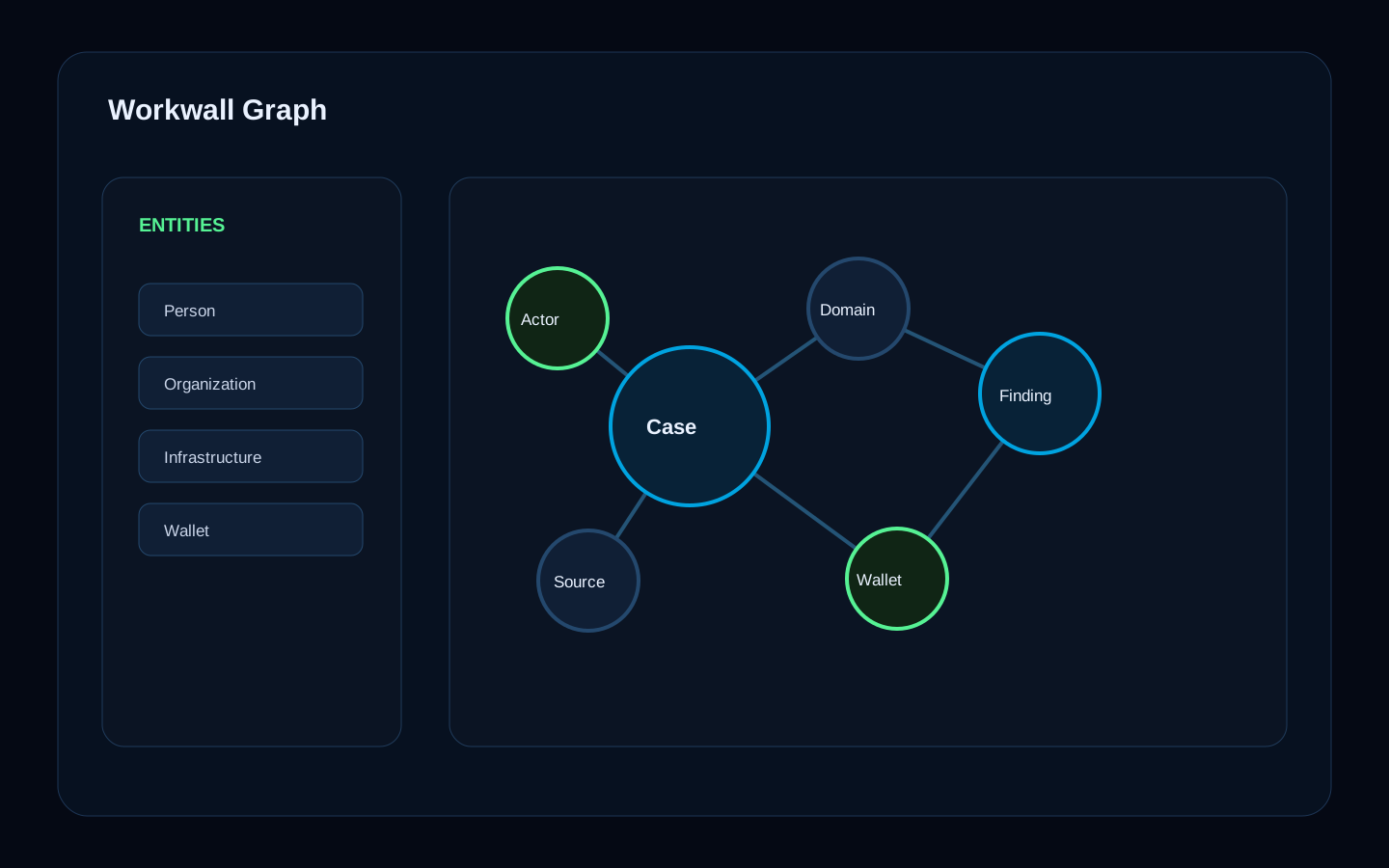
Findings become structure, not text
People, organisations, accounts, domains, wallets, documents and events are connected in a graph – with the source and explanation for every link.
Graph
Entities and relations with sources
Explain
Why a link exists and how strong it is
History
Superseded, never silently overwritten
CASE GRAPH
Findings become connected context
Product view
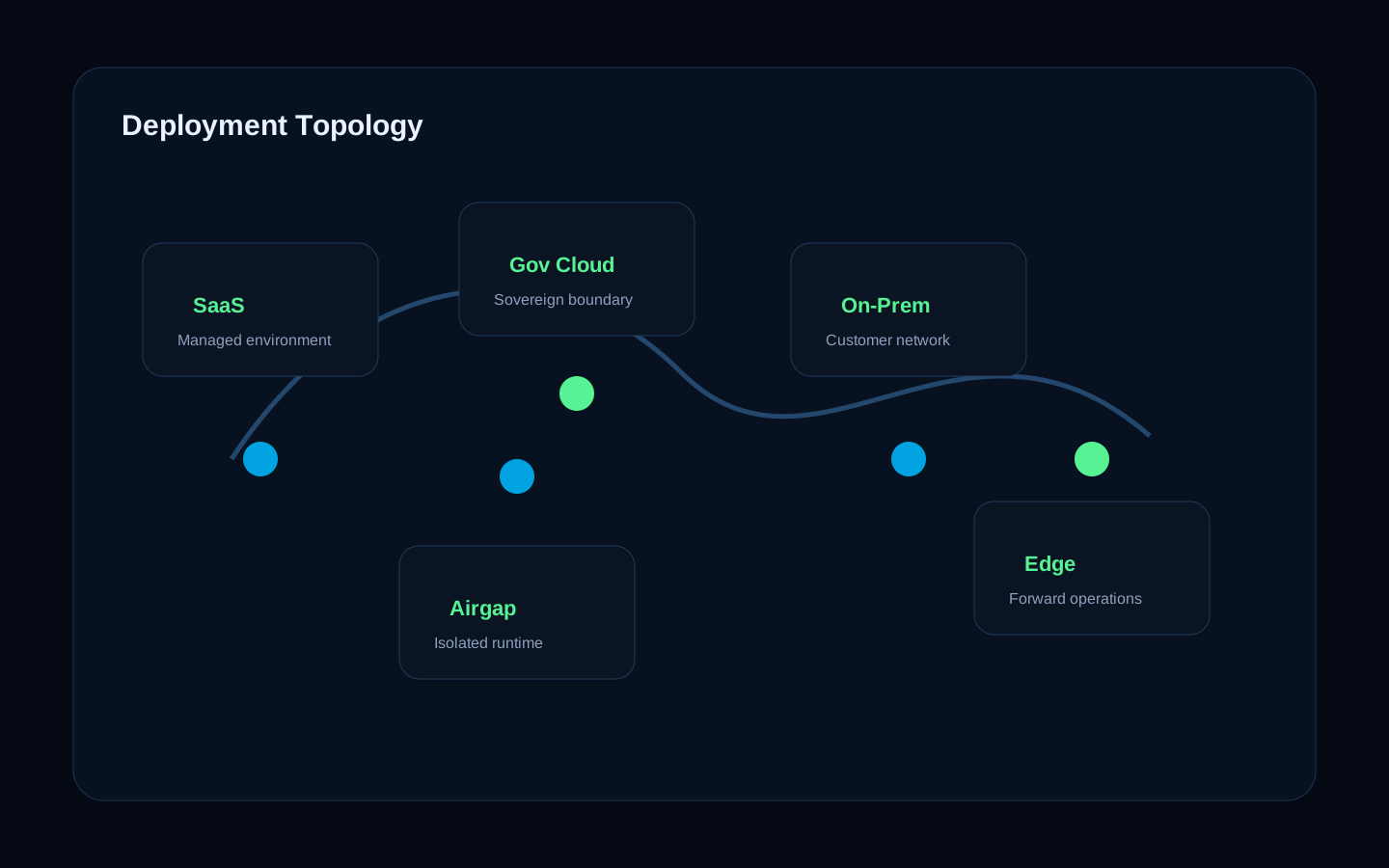
Deployment follows your data boundary
The same platform runs as SaaS, on-premises or fully airgapped. You choose the model provider – Arqent applies the same controls either way.
SaaS
Operated by us, ready quickly
On-premises
In your data center, under your rules
Airgapped
No outside connection, local models
Models
Local or external – your choice
DEPLOYMENT
Same platform, your data boundary