Controlled AI. Real results.
Digital Operations that get the work done – and prove every step.
Arqent puts AI operators to work inside your systems. They take on goals, work through them continuously and hand over results with sources. An independent check reviews every result, people approve every critical action – in SaaS, on-premises or fully airgapped, with the model provider you choose.
 Awaiting approval
Order intake
Illustrative example- Work in your systems
- Independent check
- Your approval
Ready for approval
ERP entry prepared
- Source
- Order.pdf
- Review
- Passed
Sources linked · Review passed · Awaiting approval
Partner





What can the agent do?The question is:
What is the agent allowed to do?
See it run
One Digital Operation, from goal to verified result
Pick a scenario. The operator plans, works in the connected systems, is checked by an independent reviewer and waits for a person before anything critical happens.
Steps
Operator
Order desk operator
Goal
The operator starts as soon as the goal is set.
Simulated run with illustrative data.
Where you start
One platform. Two editions.
Arqent Industry runs Digital Operations for enterprises. Arqent Core runs them for government and security teams. Both share the same platform, the same controls and the same deployment options.
FOR ENTERPRISES
Arqent Industry
Operators take over order intake, reporting, product data, accounting and service work – directly in your ERP, CRM, mail and files. No migration, no replacement project.
Learn MoreFOR GOVERNMENT AND SECURITY
Arqent Core
Operators collect, analyse and correlate OSINT, darknet and financial signals inside the case – with an evidence trail that holds up in review, on-premises or fully airgapped.
Learn MoreWhy Arqent
What sets Digital Operations apart from AI assistants
Assistants answer prompts. Arqent operators own an outcome – and the platform makes sure you can trust it.
OWN THE OUTCOME
Goals, not prompts
You agree on a goal and its success criteria. The operator plans the steps, works through them – once or continuously on a schedule – and reports back when it is done.
Learn MoreINDEPENDENT CHECK
No operator checks its own work
Every result is reviewed by a separate, blind check against the criteria you agreed on. If the check cannot confirm it, the result does not count.
Learn MoreCONTROLLED AUTONOMY
You decide what needs approval
Write actions, sensitive data and costly tools wait for a person. Recurring actions can be approved permanently – per operator, tool and connection – and revoked at any time.
Learn MorePROVENANCE
Every statement has a source
Results, findings and organizational memory stay linked to the document, system or tool call they came from. Nothing is overwritten silently.
Learn MoreMULTI-OPERATOR
Teams of operators
Operators have roles, a lead and direct reports. A lead hands work to its team and gets the results back – like an organization chart for AI.
Learn MoreNO LOCK-IN
Your systems, your models
Connect ERP, CRM, mail, files and your own tools via connectors and MCP. Run local models on-premises or airgapped, or choose external providers in SaaS.
Learn MoreUse cases
What Digital Operations take over
A few of the processes operators run today – for enterprises and for government and security teams.
Enterprise · Order management
From inbox to booked order
Orders arrive as emails and PDF attachments. The operator extracts the line items, matches customer and articles, checks the order and prepares the ERP entry. A person approves before anything is booked – and the operator keeps working through the inbox on its own schedule.
Discuss this use caseSystems and sources
What the operator does
Results
Enterprise · Sales and inside sales
Answers from your ERP in plain language
Stock, storage location, delivery status, sales history: the operator answers directly from the ERP – including whether a customer visit is worth it. Every number links back to the record it came from.
Discuss this use caseSystems and sources
What the operator does
Results
Enterprise · Project management
The weekly status writes itself
Every Friday someone collects status from mail, tickets and files by hand. The operator drafts the report from the connected systems – as Word or PowerPoint in your corporate design, with every number linked to its source.
Discuss this use caseSystems and sources
What the operator does
Results
Government · OSINT
OSINT analysis
Operators collect and assess open sources – usernames, email registrations, domains, social and messaging channels including Telegram, and commercial OSINT such as Fivecast ONYX. Every hit gets a source note and a false-positive check before it becomes a finding.
Explore workflowSystems and sources
What the operator does
Results
Government · Threat intelligence
Darknet intelligence
Find and map onion services, marketplaces, vendors and indicators – with darknet search, an isolated Tor browser and analysis of the Tor relay network. Collection stays governed, and every artifact stays attached to the case.
Explore workflowSystems and sources
What the operator does
Results
Government · Critical infrastructure
Situational awareness for critical sites
Global events, natural hazards and incidents appear on one live map next to your sites. Geofences with NATO symbology (APP-6) mark what matters, and operators report what changed and what it affects.
Explore workflowSystems and sources
What the operator does
Results
Product view
Runs where your data has to stay
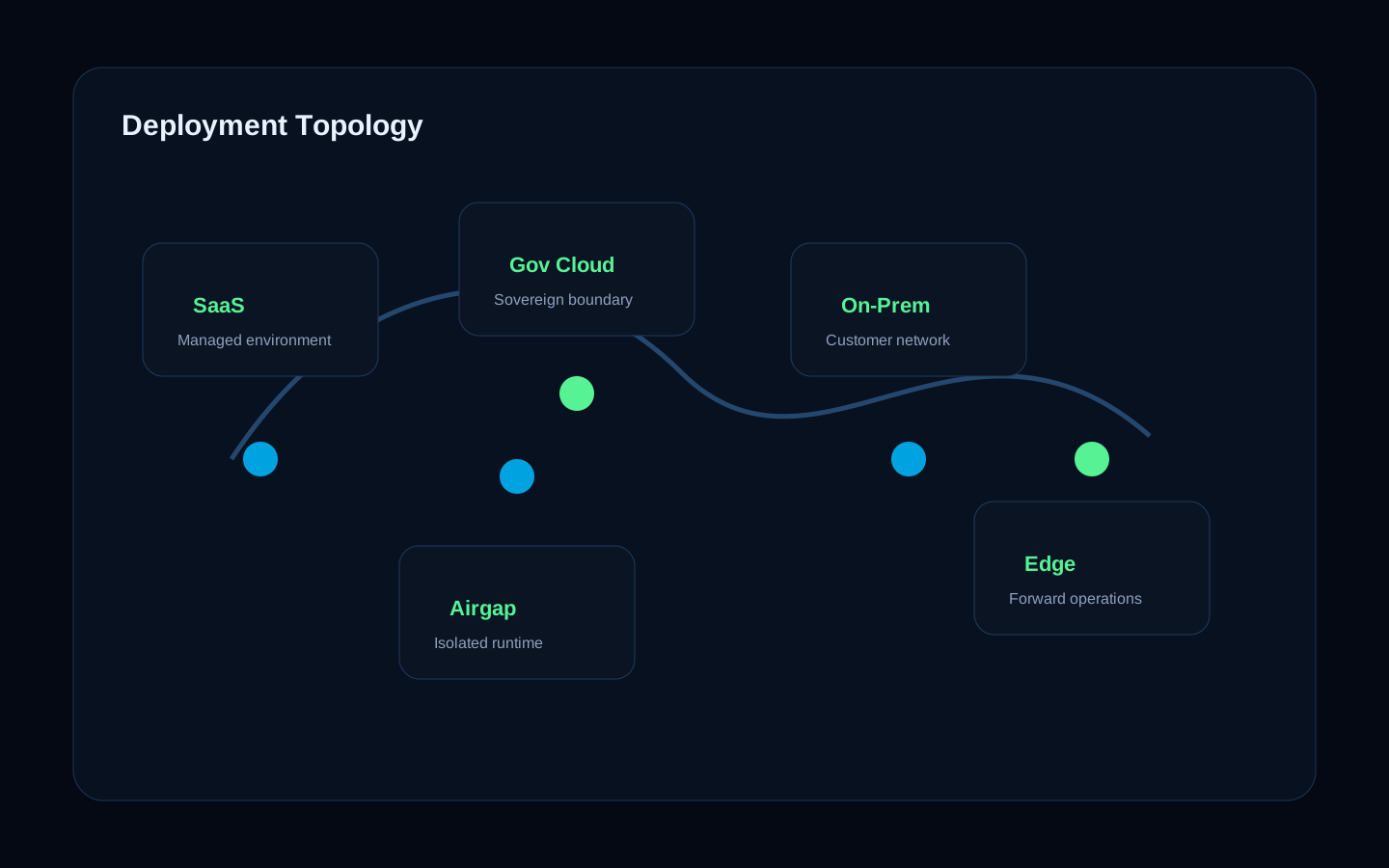
SaaS for a fast start, on-premises in your data center or fully airgapped without any outside connection. You choose the model provider: local models on-premises and airgapped, external providers of your choice in SaaS.
SaaS
Operated by us, ready quickly
On-premises
In your data center, under your rules
Airgapped
No outside connection, local models
Models
Local or external – your choice
DEPLOYMENT
Same platform, your data boundary
How to start
Start with one process, not a transformation program
One real process, one concrete problem, one decision based on results from your own environment.
SCOPING
Week 1
We pick one real process with you – order intake, reporting or a case type – and agree on what success means.
Learn MorePILOT
Weeks 2-6
Operators work in your environment on real data. Your team sees every step, every source, every approval.
REVIEW
Decision
You decide on verified results from your own process – not on a slide deck.
Start with the process that costs you the most time
Show us the process. We show you a Digital Operation running it – with sources, independent checks and approvals.